

How to Set Up and Use a DJI Smart Controller Harness for Professional Flight
A professional drone harness is not a simple safety accessory; it's a precision flight tool that transfers the operational burden from your wrists to your core. Most seasoned pilots realize that after several hours on a complex industrial site, even a well-balanced DJI smart controller harness becomes the centre of a stable flight system. You have likely experienced the nagging neck strain or hand cramps that develop when you are forced to support heavy hardware while executing delicate gimbal manoeuvres. These physical distractions don't just cause discomfort; they actively degrade your flight precision and situational awareness during critical missions.
We understand that maintaining high standards in the field requires gear that supports your body as much as your workflow. This article will teach you how to master the setup and ergonomic adjustment of your harness to eliminate fatigue and secure your expensive equipment. We will walk through the process of balancing the controller for hands-free capability, ensuring you can manage checklists and ground operations with total confidence. You will learn how a stabilized platform leads to smoother footage and a more disciplined, professional approach to every flight you undertake.
Key Takeaways
- Understand why a full harness is essential for managing the physical weight of the RC Plus and RC Pro during long-duration commercial missions.
- Learn the technical differences between basic neck straps and a professional DJI smart controller harness to ensure optimal weight distribution across your core.
- Identify the specific mounting points and necessary hardware required to securely attach your controller to a professional support system.
- Master the ergonomic adjustment process to centre the back plate and protect your trapezius muscles from unnecessary strain.
- Discover how proper gear integration improves your focus and safety during complex RPAS operations and Transport Canada flight reviews.
Why Professional Pilots Require a DJI Smart Controller Harness
Professional drone operations often involve hours of sustained concentration and physical engagement. While modern radio control systems have become more capable, they've also become heavier. The DJI RC Plus and RC Pro represent the pinnacle of flight control, yet their substantial weight creates a physical challenge during extended missions. A DJI smart controller harness isn't merely a convenience; it's a critical piece of safety equipment that manages the ergonomic demands of professional flight. By stabilizing the hardware against your torso, you create a fixed point of reference that enhances your control over every movement.
The Problem with Weight and Hand Fatigue
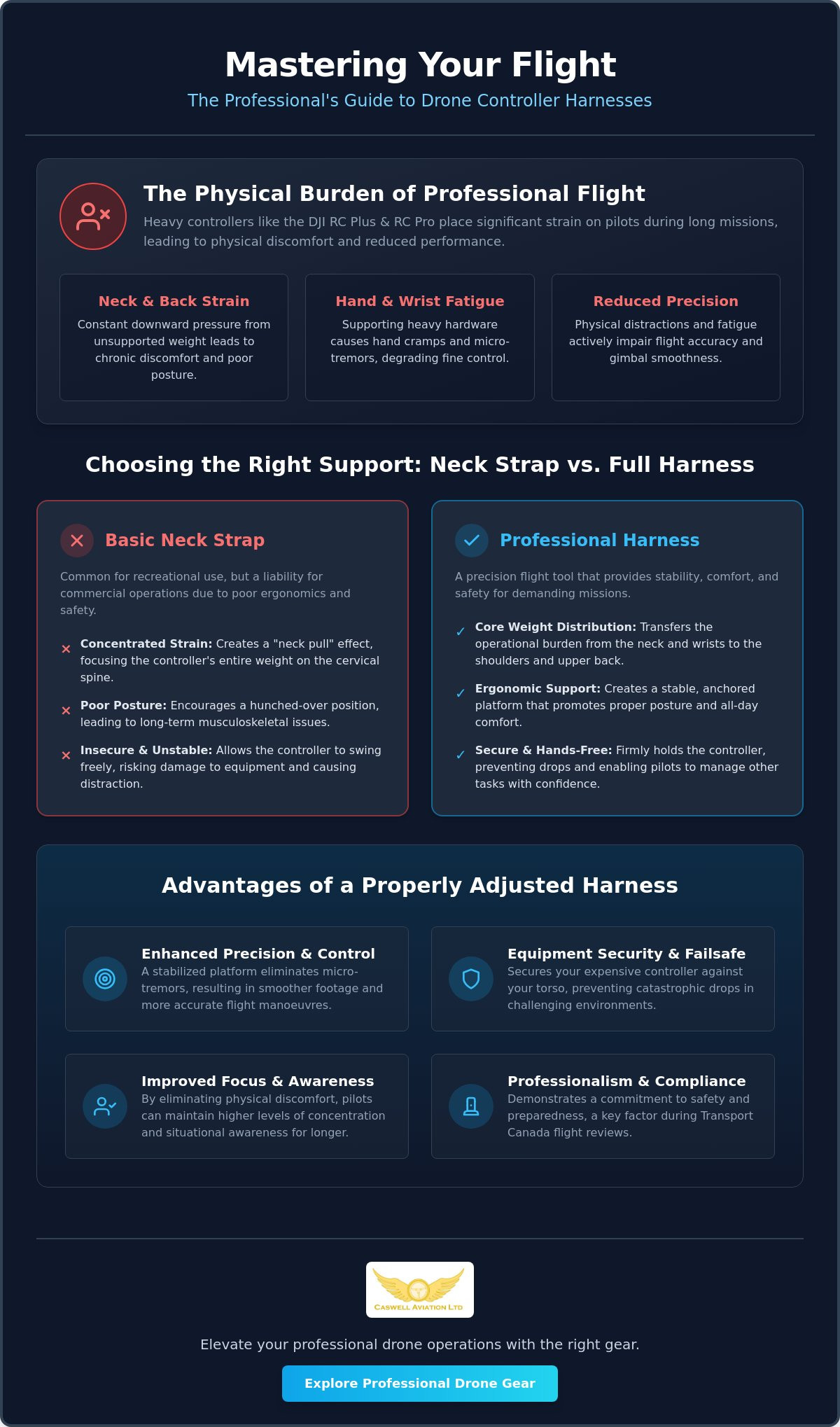
The DJI Smart Controller series integrates high-brightness screens and internal processing power into a single handheld unit. This consolidation is efficient but results in a front-heavy device that places significant strain on the wrists and forearms. Over a long mission, this fatigue leads to micro-tremors in the hands. These tremors directly impact your ability to execute fine gimbal movements or maintain precise flight paths. By utilizing a DJI smart controller harness, you redistribute this weight across your shoulders and upper back. This shift allows your hands to remain relaxed and focused entirely on control inputs rather than supporting the hardware's mass.
Beyond ergonomics, a harness provides a vital failsafe for your investment. Professional pilots often work in challenging environments where a dropped controller could lead to a total loss of aircraft control or damage to expensive equipment. A secure connection to your torso ensures the controller remains accessible even if your grip slips. It also enables hands-free capability. You can step away from the sticks to consult a physical map, manage digital logs, or verify a mission checklist without needing to find a clean, flat surface to set your gear down.
Safety and Compliance in the Field
Operating with a harness demonstrates a high level of discipline and preparedness. This level of professionalism is especially important during a Transport Canada drone flight review. Evaluators look for pilots who prioritize safety and have organized their workflow to minimize risks. Using a harness allows you to maintain constant situational awareness while interacting with secondary tools or observers. It ensures your primary flight interface is always exactly where you need it, allowing for a seamless transition between monitoring the aircraft and managing mission-critical data.
Comparing Support Systems: Neck Straps vs. Full Harnesses
Selecting the right support system is a decision that affects both your physical health and your operational efficiency. While many pilots begin with basic accessories, the demands of professional RPAS missions quickly reveal the limitations of entry-level gear. A DJI smart controller harness provides a level of stability and weight distribution that simpler systems cannot match. Understanding the hierarchy of these tools allows you to choose equipment that aligns with the complexity of your flight tasks.
The Limitations of the Standard Neck Strap
Basic neck straps are common in recreational settings because they are inexpensive and portable. However, they are often a liability for commercial pilots. These straps create a "neck pull" effect, concentrating the entire mass of the controller on the cervical spine. This constant downward pressure forces the pilot into a hunched posture, which can lead to chronic discomfort and reduced focus. An ergonomic risk analysis of remote pilot operations confirms that improper support systems contribute significantly to musculoskeletal strain during long-duration flights.
Safety is another concern with simple lanyards. A neck strap allows the controller to sway freely as you move. If you are navigating a construction site or moving through dense brush, the hardware can easily strike obstacles or swing into your path. This lack of security is unacceptable when handling high-value flight hardware like the RC Plus. Professional operations require a system that anchors the controller firmly to the torso, ensuring it remains stationary regardless of your movement.
The Fitek Gear Advantage for Smart Controllers
For Canadian professionals, the Fitek Gear drone harness is the gold standard for field operations. This system utilizes a full-body ergonomic design to distribute weight across the shoulders and upper back. It is built with breathable materials that manage heat during summer missions while offering enough adjustability to fit over heavy winter gear. This versatility is essential for maintaining standards in Canada's varied climate. If you are preparing for a long day in the field, you can explore our professional equipment options to ensure you have the right support.
The Fitek system also includes specialized quick-release hardware. This feature allows for rapid deployment when you arrive on-site and provides a safe way to detach the controller in an emergency. By using a dedicated DJI smart controller harness, you ensure that your gear is organized, secure, and ready for the technical rigours of advanced flight missions. This professional approach to equipment management is what separates a veteran practitioner from a hobbyist.
Preparing Your DJI Smart Controller for Harness Attachment
Preparing your hardware for a DJI smart controller harness requires attention to detail and the correct tools. Professional controllers like the RC Pro and RC Plus feature dedicated mounting points on the rear housing. These are typically M3 threaded holes designed to accept mounting brackets or eyelet bolts. Before you begin the installation, perform a thorough inspection of these points. Check for any debris or signs of wear in the threads that could compromise the connection. This level of technical scrutiny aligns with the rigorous standards found in FAA Part 107 guidelines, which emphasize the importance of equipment airworthiness and pilot readiness.
You will need a high-quality hex key set and a small amount of medium-strength thread-locker. Using the wrong size tool can strip the screw heads, making future adjustments difficult. A secure, vibration-resistant fit is essential for long-duration missions where constant movement can cause loose hardware to fail. If you are looking to refine your operational procedures beyond just hardware setup, you can find advanced training resources at drones-r-us.ca to enhance your professional field performance.
Mounting Brackets and Eyelets
Choosing the correct bracket for your specific DJI model is the first step toward a stable setup. Brackets for the RC Plus are larger and more robust to handle the additional weight, whereas the RC Pro uses a more compact interface. For pilots who need custom mounting solutions or specialized composite components, CNC Cut to Size provides the precision manufacturing services required for bespoke hardware. When installing the mounting screws, apply a consistent amount of torque. Don't over-tighten the hardware, as this can crack the controller's plastic housing or strip the internal threads. A single drop of blue thread-locker on each screw provides an extra layer of security against the vibrations encountered during transport or active flight.
Controller Balance and Orientation
Proper balance is vital for maintaining ergonomic comfort. The DJI RC Plus has a specific centre of gravity that shifts depending on whether the internal batteries are fully seated. When you attach your DJI smart controller harness, verify that the unit hangs at a natural angle that allows you to view the screen without tilting your head excessively. Ensure the mounting brackets don't obstruct the control sticks or the custom function buttons on the back. Finally, check that the antennas have a full, unobstructed range of motion. If the harness straps or hardware interfere with antenna placement, you risk degrading your signal strength during critical phases of the mission.
Step-by-Step: How to Adjust Your Harness for Optimal Ergonomics
Achieving a perfect fit with your DJI smart controller harness requires a methodical approach to strap tension and positioning. Begin by sliding the harness over your shoulders, ensuring the back plate is centred precisely between your shoulder blades. This central alignment is the foundation of the entire system; if the plate is off-centre, the weight of the controller will pull unevenly, leading to muscle strain over several hours of flight. Once the back plate is positioned, tighten the shoulder straps until the weight feels supported by your trapezius muscles rather than your neck or lower back.
After the shoulder straps are secure, connect the waist or chest straps. These secondary points of contact are vital for preventing lateral movement. In the field, you will frequently rotate your torso to maintain a visual line of sight with your aircraft. Without secure waist straps, the controller will swing independently of your body, which can disrupt your focus and lead to accidental control inputs. A well-adjusted harness should feel like an extension of your body, moving with you as you navigate the flight line.
The 90-Degree Rule for Pilot Comfort
The height at which your controller sits is the most critical factor for long-term comfort. You should adjust the front attachment straps so that your elbows are bent at approximately a 90-degree angle when your hands are resting on the control sticks. This neutral position minimizes the load on your biceps and prevents the "shoulder shrugging" that often occurs when a controller is set too high. If the unit is too low, you will find yourself leaning forward, which compromises your posture and puts unnecessary pressure on your lumbar spine. To ensure you have a system capable of these precise ergonomic adjustments, you can order a DJI smart controller harness from our professional inventory.
Tilt and Vision Optimization
Screen visibility is often a challenge when operating in the bright Canadian sun. Most professional harnesses allow you to fine-tune the tilt angle of the mounting bracket. Position the screen so it is perpendicular to your line of sight while your head remains in a neutral, forward-facing position. This reduces glare and makes the transition between the screen and the aircraft much faster. Remember to re-adjust these settings if you transition from standing to seated operations, as the change in your lap height will alter the ideal strap lengths and screen angle. Taking five minutes to realize these adjustments before takeoff will significantly improve your precision during complex manoeuvres.
Integrating Your Gear into Advanced RPAS Operations
Advanced RPAS operations require a transition from manual stick-and-rudder flying to comprehensive mission management. Integrating a DJI smart controller harness allows you to maintain the high levels of situational awareness required for complex industrial or urban environments. When the physical burden of the RC Plus is removed, you can focus on multi-tasking, managing telemetry, communicating with ground crews, and ensuring the safety of the flight volume. This hardware integration is essential for maintaining focus during the high-stakes phases of a commercial mission.
Maintaining a Transport Canada drone certification requires a deep understanding of human factors. Fatigue is a primary risk in aviation that can lead to degraded decision-making and delayed reaction times. Using a professional ergonomic support system is a proactive mitigation strategy that evaluators look for during advanced flight reviews. It signals that you have organized your equipment to prioritize safety and operational efficiency, reducing the likelihood of errors caused by physical strain.
Muscle Memory and Emergency Response
Your harness is a functional part of your emergency procedures. You must practice the quick-release motion to facilitate instant controller hand-offs to a second pilot if needed. Incorporating these checks into your pre-flight SOPs ensures that your gear is fully airworthy and that you can respond to anomalies without hesitation. Managing external HDMI cables or secondary monitors also becomes significantly easier when the controller is stabilized against your torso, allowing for a cleaner and more organized ground station setup.
Professional Gear for Professional Results
Sourcing high-quality gear is a reflection of your commitment to industry standards. The Fitek Gear systems available through Caswell Aviation Ltd are designed to withstand the rigours of daily commercial work. If you are still deciding on a support system, our drone controller neck strap harness guide provides a detailed technical comparison of available options. Choosing a professional DJI smart controller harness is an investment in your career and your physical longevity in the field. You can visit drones-r-us.ca to explore our full suite of training and equipment solutions.
Master Your Operational Environment
Professional flight operations require a disciplined approach to both software and hardware. Transitioning from a basic lanyard to a specialized DJI smart controller harness is a fundamental step in maturing your field workflow. You've learned how proper mounting and the 90-degree ergonomic rule don't just reduce fatigue; they actively improve the precision of your gimbal work and flight path execution. By stabilizing your primary interface against your torso, you ensure your focus remains on mission objectives and regulatory compliance rather than physical discomfort.
As an authorized retailer of Fitek Gear ergonomic systems, Caswell Aviation Ltd brings the expertise of Transport Canada certified flight reviewers to every piece of equipment we recommend. These harnesses are specifically designed for professional-grade DJI Smart Controllers and the technical rigours of industrial environments. We understand the demands of long-duration missions and provide the tools necessary to maintain a high standard of safety and performance in the field.
Browse Professional Fitek Gear Harnesses at Caswell Aviation Ltd to secure a career investment that supports your long-term health and operational success. Safe flying starts with the right foundation.
Frequently Asked Questions
Is a DJI smart controller harness compatible with the RC Pro and RC Plus?
Yes, a DJI smart controller harness is fully compatible with both the RC Pro and RC Plus models. These professional controllers feature standardized M3 threaded mounting points on the rear housing. You must ensure you use the correct bracket size designed for your specific model to maintain a secure connection. This setup provides the necessary stability for advanced missions where precision is the primary requirement.
How do I attach a harness to a DJI controller that doesn’t have built-in loops?
You can attach a harness by using specialized mounting brackets or eyelet bolts that screw directly into the controller's threaded holes. Most professional DJI controllers don't use fabric loops but instead rely on these mechanical attachment points. It's essential to use the correct thread size and length to avoid damaging the internal components of your hardware during installation.
Can I use a DJI smart controller harness while wearing a winter jacket for Canadian field work?
Yes, you can effectively use a DJI smart controller harness while wearing heavy winter gear. Professional-grade systems feature generous adjustment ranges in the shoulder and waist straps specifically to accommodate Canadian field conditions. You should adjust your strap lengths when transitioning from summer to winter clothing to maintain the correct 90-degree elbow angle for ergonomic comfort.
Does using a harness void the warranty on my DJI Smart Controller?
Using a harness does not void your DJI warranty as long as you use the manufacturer-approved mounting points. You must avoid drilling into the housing or making permanent modifications to the controller. Using high-quality mounting hardware and following proper torque settings ensures you maintain the structural integrity of the device while improving your operational safety and comfort.
What is the best way to clean and maintain a Fitek Gear harness after field use?
The best way to maintain a Fitek Gear harness is to hand wash the fabric components with mild soap and lukewarm water. Avoid using harsh chemicals or machine drying, as high heat can damage the integrity of the straps and padding. Regularly inspect the metal hardware and mounting screws for signs of wear or loosening to ensure the system remains reliable for your next mission.
Will a harness interfere with the antennas or signal of my DJI drone?
A properly adjusted harness will not interfere with your antennas or signal strength. You must verify that the straps and mounting brackets don't physically block the antennas or limit their range of motion. Professional harnesses are designed to keep the controller at an angle that promotes clear signal transmission between the ground station and the aircraft during all phases of flight.
How tight should the harness straps be for a professional pilot?
Harness straps should be snug enough to prevent the controller from shifting but loose enough to allow for deep breathing and full torso rotation. The majority of the weight should reside on your shoulders and upper back rather than your neck. If you find yourself shrugging or leaning forward, your straps likely require further adjustment to meet professional ergonomic standards.
Are there specific harnesses designed for female drone pilots or different body types?
Professional harness systems are designed with extensive adjustability to accommodate a wide variety of body types, including female pilots. The modular design allows you to centre the back plate and adjust the chest straps to find a secure, comfortable fit regardless of your frame. This versatility ensures that every pilot can maintain a professional standard of comfort during long-duration flight operations.
Leave a comment